YachtSnags features: snag lists, photo mark-up, AI and PDF reports
Everything you need to run a yacht or boat inspection, manage a punch list and hand over a professional report — on your phone or tablet, with or without signal.
YachtSnags is a complete inspection and snag-management app for yachts and boats. Below is every feature, grouped by how you use it: setting up projects, logging and marking up snags, using deck plans and AI, tracking work and creating reports.
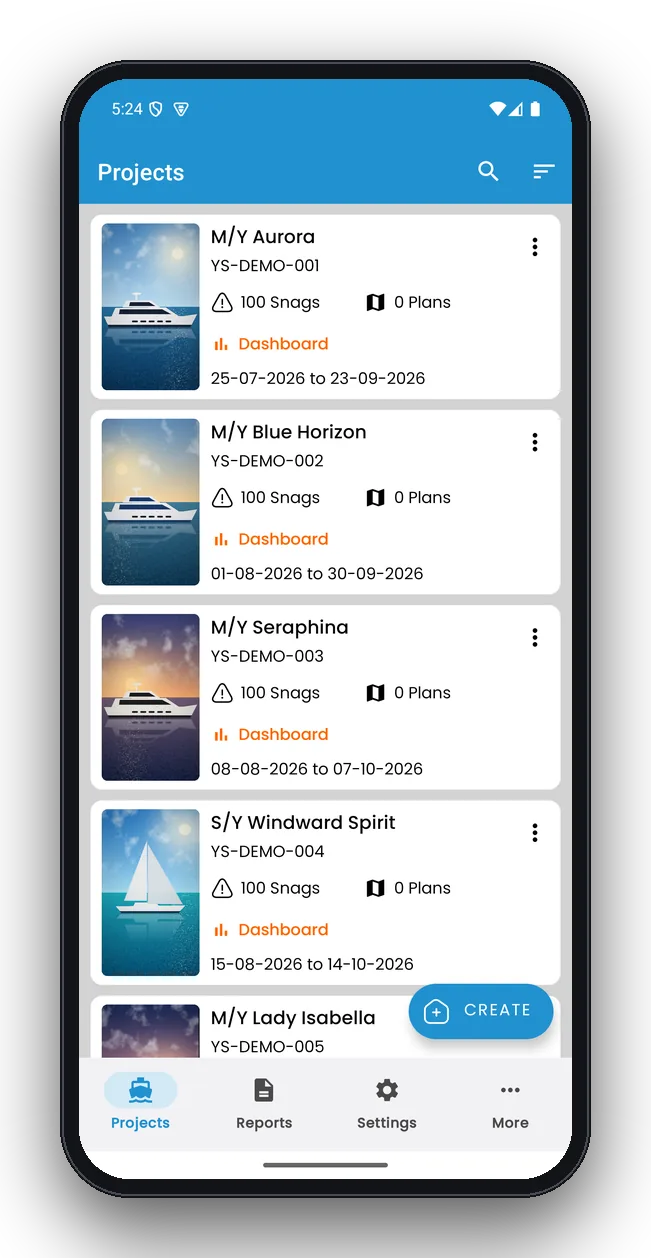
One project per vessel, survey or yard period
Keep each boat or job separate with its own snags, deck plans, team details and reports. Vessel details, the owner or client and the inspector appear on the report cover automatically.
- Vessel details, owner and contact information
- Duplicate, archive and back up projects
- Quick search across all projects
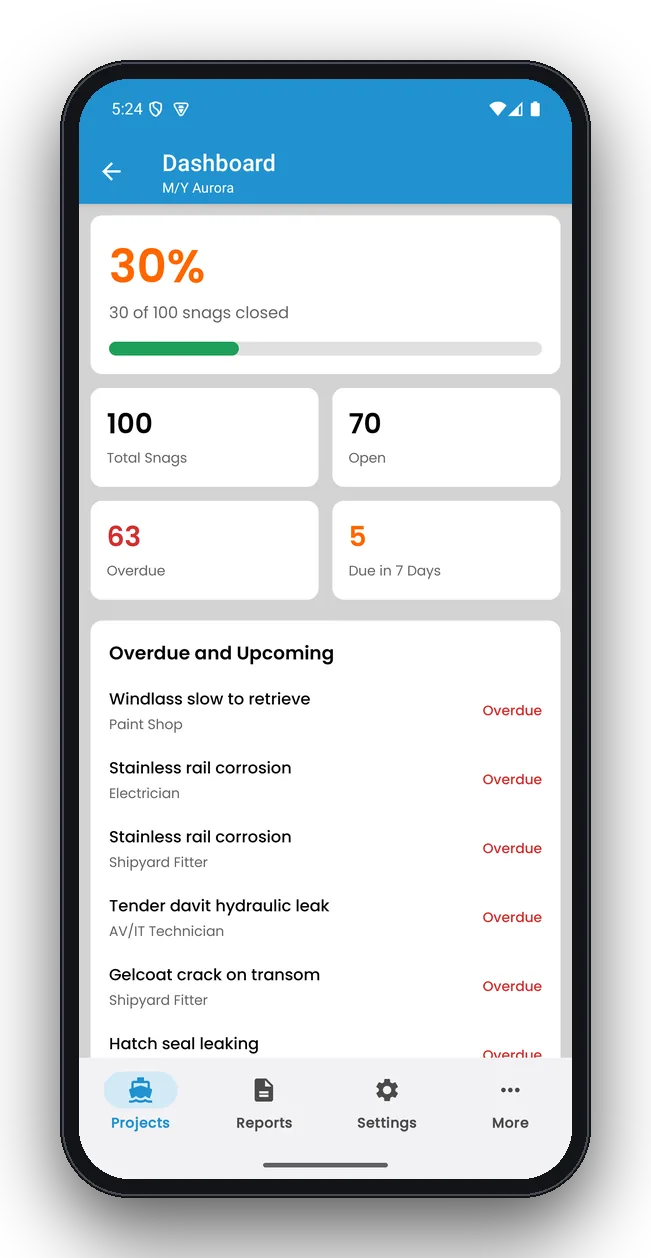
See progress at a glance
The dashboard shows how many snags are closed, open, overdue and due this week, with the most urgent items listed first. It is the fastest way to answer “are we on track for delivery?”.
- Percentage complete per project
- Overdue and upcoming lists
- Breakdown by status, priority and trade
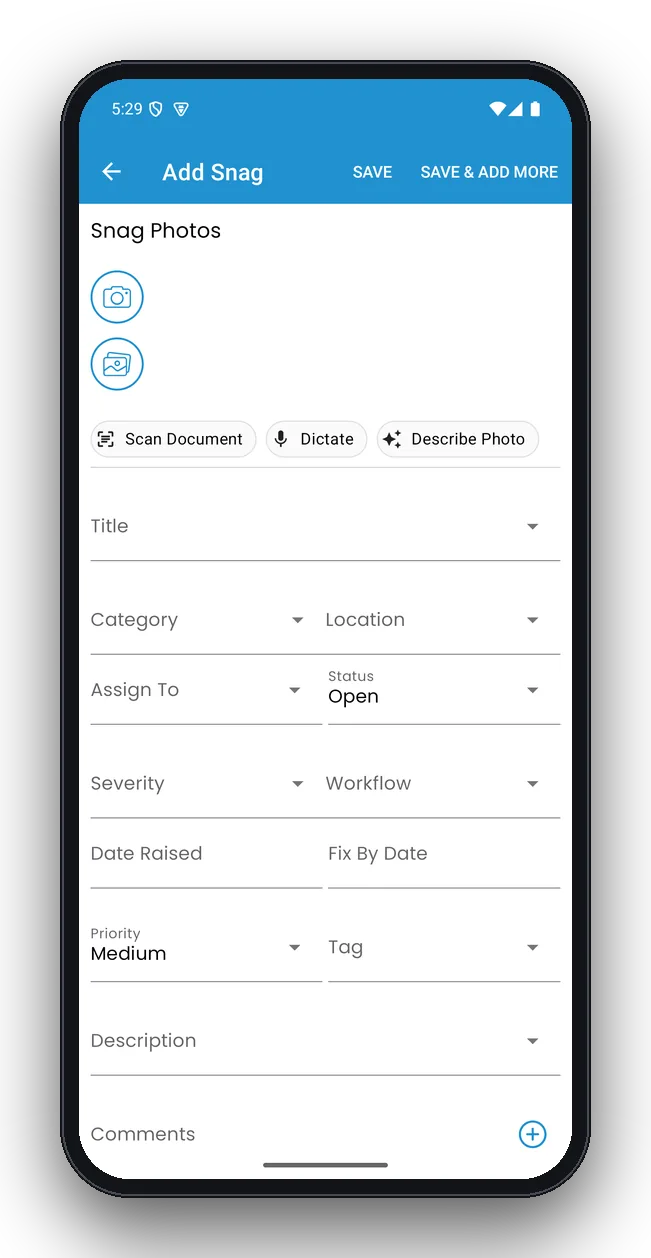
Log a snag in seconds
Take a photo, choose the location and trade, set priority and due date — or dictate the description with your voice. Every field is optional except the title, so you can log quickly and fill in details later.
- Up to 10 photos per snag from camera or gallery
- Location, trade, priority, due date, status and comments
- Voice dictation and AI photo description
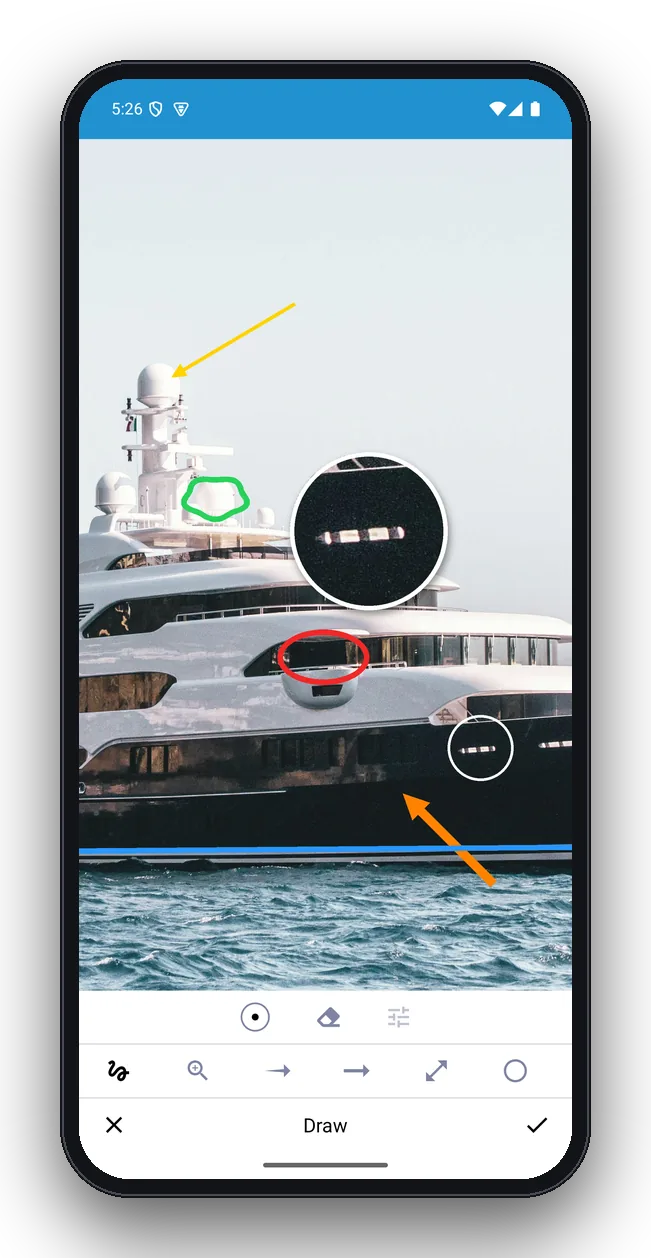
Mark up photos like a surveyor
Annotate any photo with circles, arrows, lines, freehand pen, text and a zoom loupe for small details. The original is kept, and the marked-up version goes into the report.
- Colour and line-width options
- Undo and redo
- Original photo kept
Find what matters now
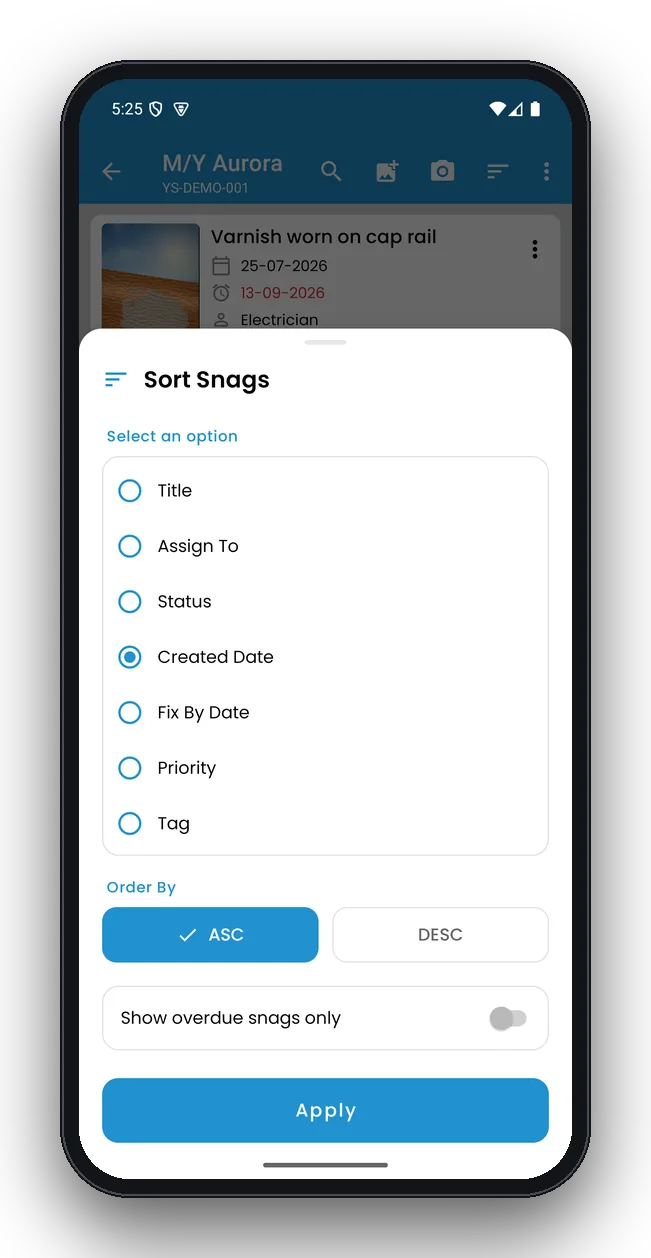
Sort and filter by status, priority, trade, location or due date to build the list each contractor needs, or to see only overdue items before a progress meeting.
- Overdue-only view
- Group by trade or location
- Customisable terminology
Pin snags on the general arrangement
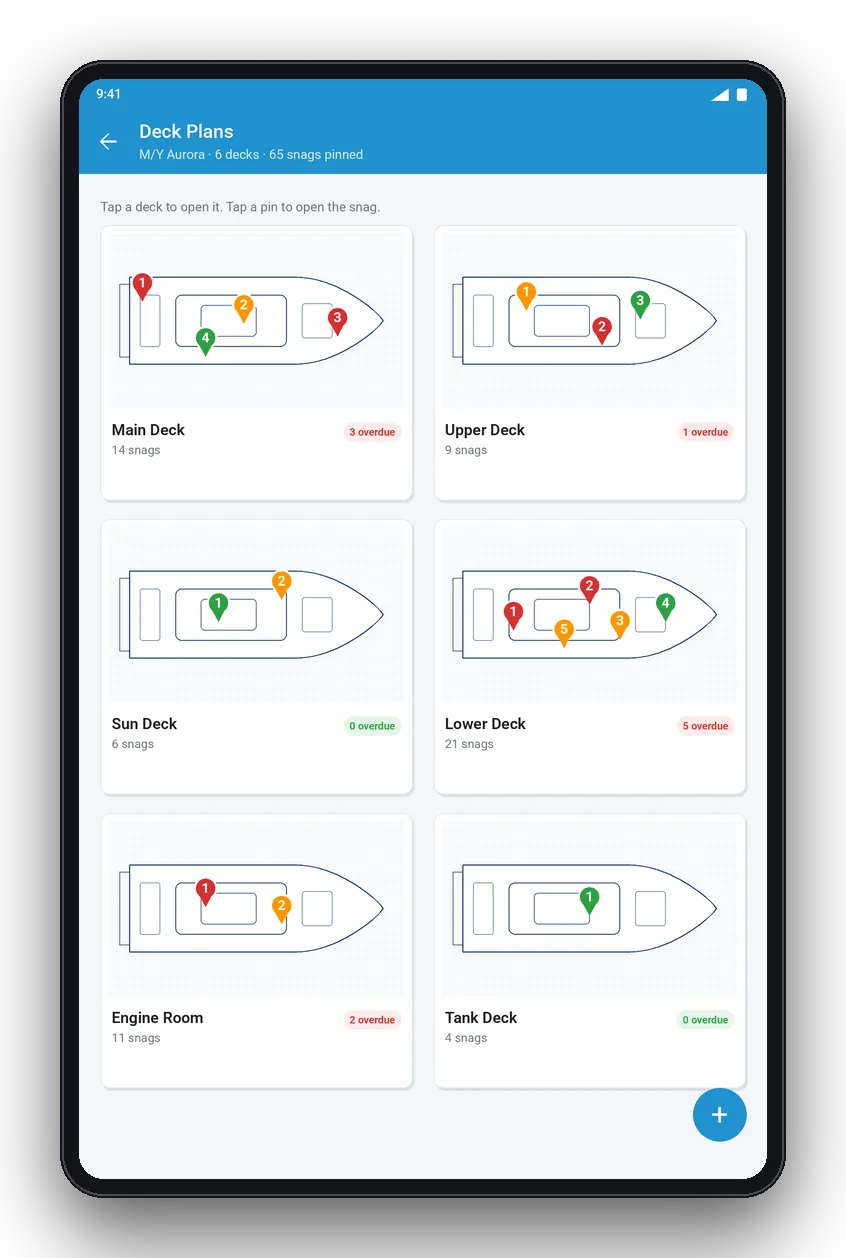
Import deck plans or scan a paper plan with the camera and pin each snag to its exact position. On supported devices, AI reads cabin and compartment names from the plan and creates locations for you.
- Multiple decks per vessel, including engine room and tank deck
- Colour-coded pins by priority
- Print location QR codes for bulkheads
Branded PDF and Excel reports with charts
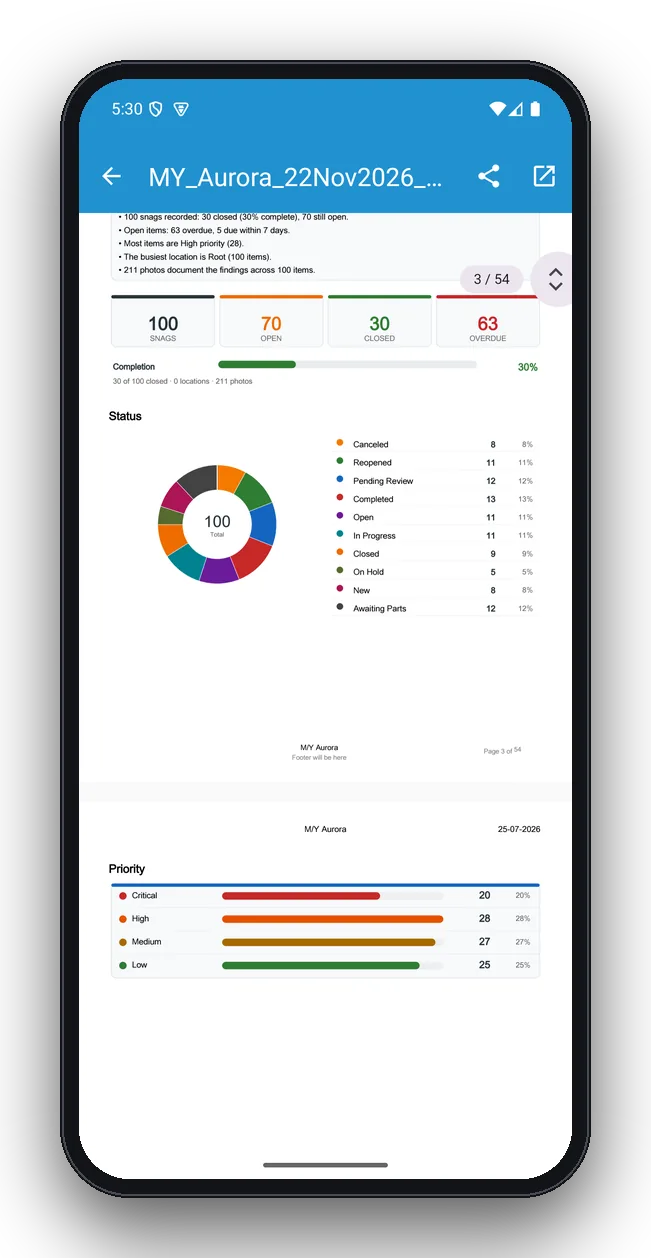
Every report starts with a summary: key findings, totals, a completion bar and charts by status and priority. Then every snag follows with its photos, mark-ups, details and comment history. Export to Excel for yards and contractors.
- Your logo, company and inspector details
- Charts by status, priority, trade and location
- Signatures from inspector, captain or owner
Every snag, fully documented
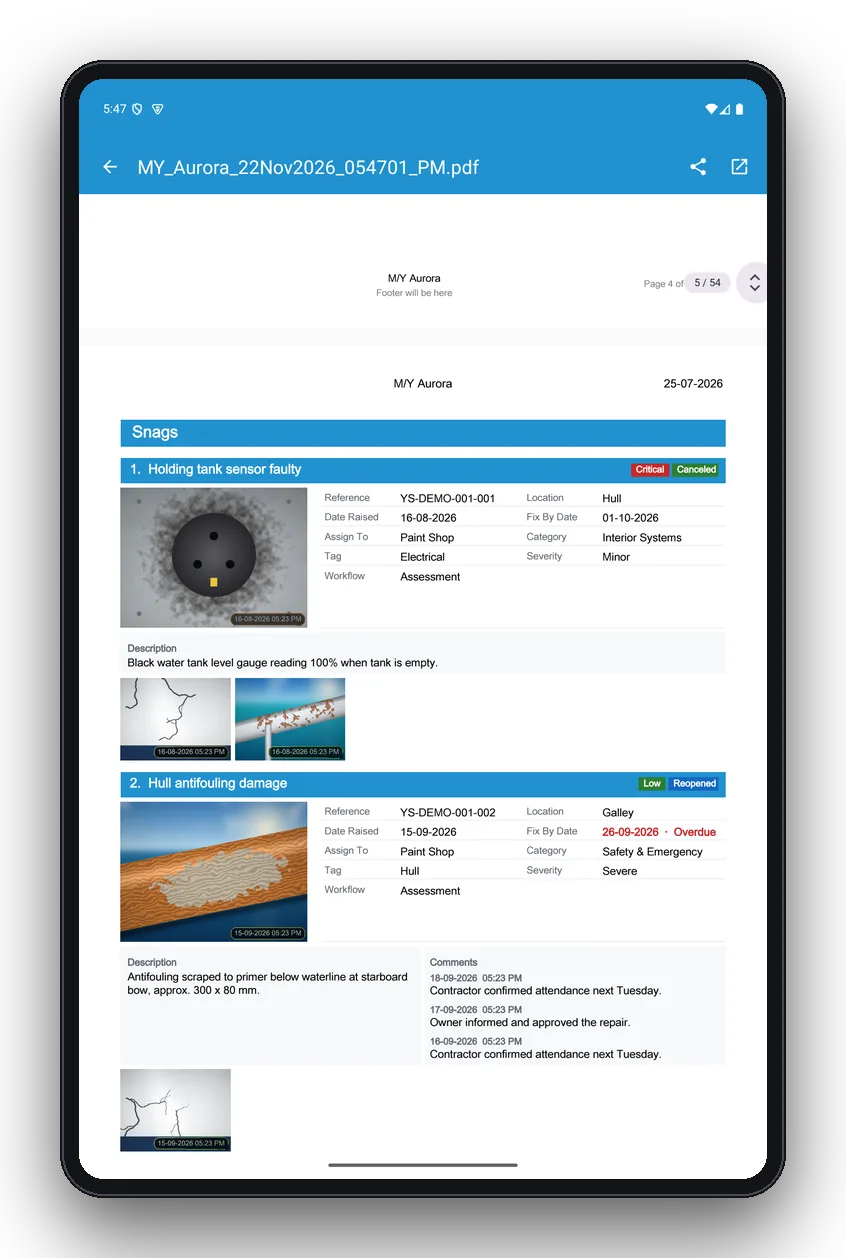
Each snag in the report shows its reference, dates, location, trade, category, severity, description, photos and the full comment history — exactly what a contractor or insurer needs.
- Overdue dates highlighted
- Photo thumbnails with timestamps
- Comment history for every change
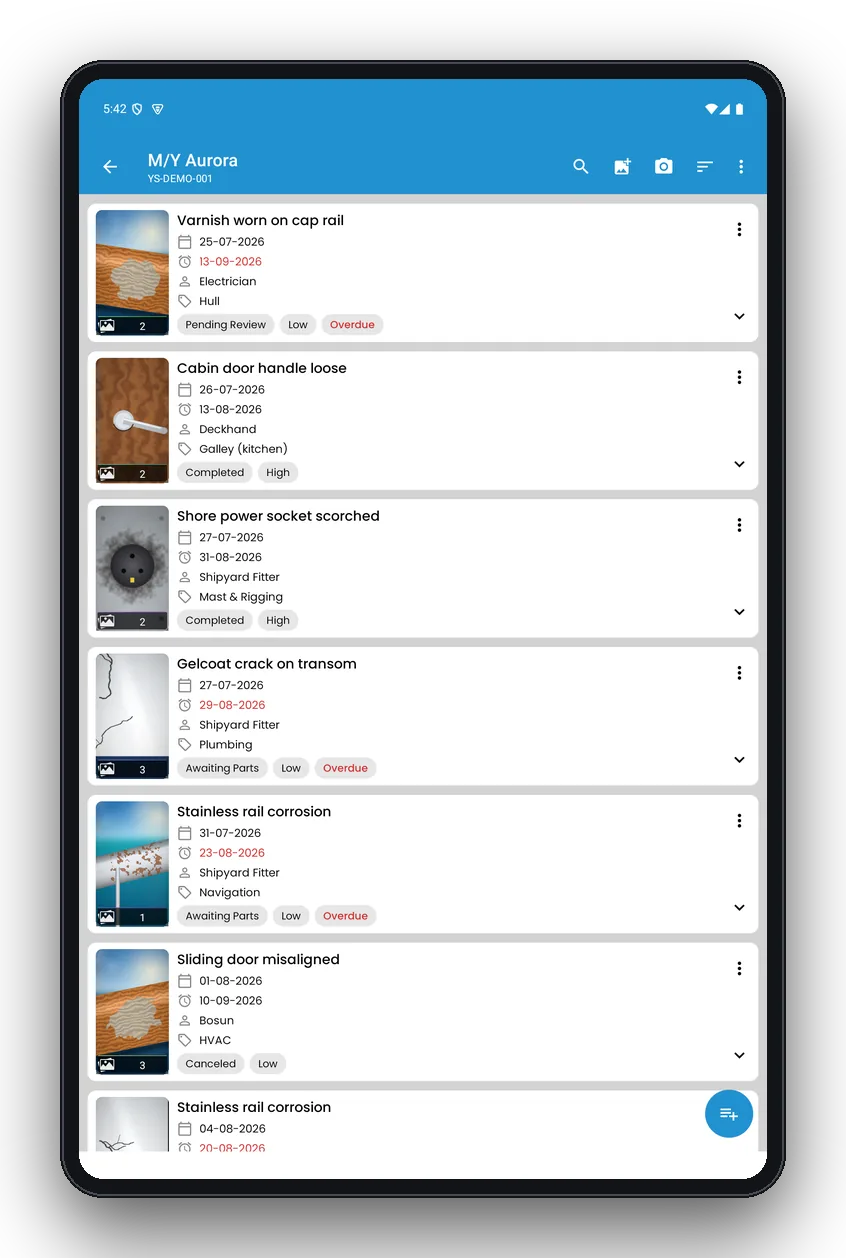
Works anywhere, on any screen size
All data lives on your device, so the app works offline at sea. Tablet layouts show the list and details side by side for review meetings.
- No account needed
- Android phones and tablets, iPhone and iPad
- Backup and restore
More built-in tools
Small things that save time on every inspection.
Voice dictation
Speak your notes on deck and the text appears in the snag.
Document scanner
Scan permits, notes and drawings with automatic cropping.
Photo auto-tags
Get tag suggestions from the snag photo.
Face blur
Blur faces in new snag photos automatically for privacy.
Location QR codes
Print QR stickers and scan them to open a location.
Report translation
Translate report text into another language on supported devices.
Feature summary
| Area | What you get |
|---|---|
| Projects | Unlimited structure per vessel or job, vessel and owner details, search, archive, backup |
| Snags | Title, description, up to 10 photos, location, trade, priority, status, due date, cost, comments |
| Photos | Camera or gallery, mark-up with circle, arrow, line, pen, text and zoom loupe, face blur |
| Deck plans | Import or scan plans, numbered pins, AI compartment detection, location QR codes |
| AI | Describe photo, clean up notes, report summary, report translation, dictation, scanner, photo tags |
| Tracking | Dashboard, overdue and upcoming lists, sort and filter, custom terminology |
| Reports | Branded PDF with summary charts, snag pages, signatures; Excel export; share to any app |
| Platforms | Android phones and tablets, iPhone, iPad; works fully offline; no account |
Start your next inspection in minutes
Free to download on Android and iOS. Works offline on phones and tablets.