The weeks before a new-build delivery are when snag lists grow fastest — and when a clear process matters most. The owner's team wants everything perfect; the yard wants to close items and deliver. A shared, photo-based punch list with clear status keeps both sides working from the same facts.
1. Agree the rules before the first walk-round
- Who can raise snags (owner's rep, captain, crew, class, yard QA) and who can close them.
- Location names for every deck and compartment, taken from the general arrangement.
- Trades list matching the yard's subcontractors.
- Priority scale and what is “warranty” versus “must fix before delivery”.
- Report format and meeting rhythm (for example a daily list and a weekly progress report).
2. Inspect area by area
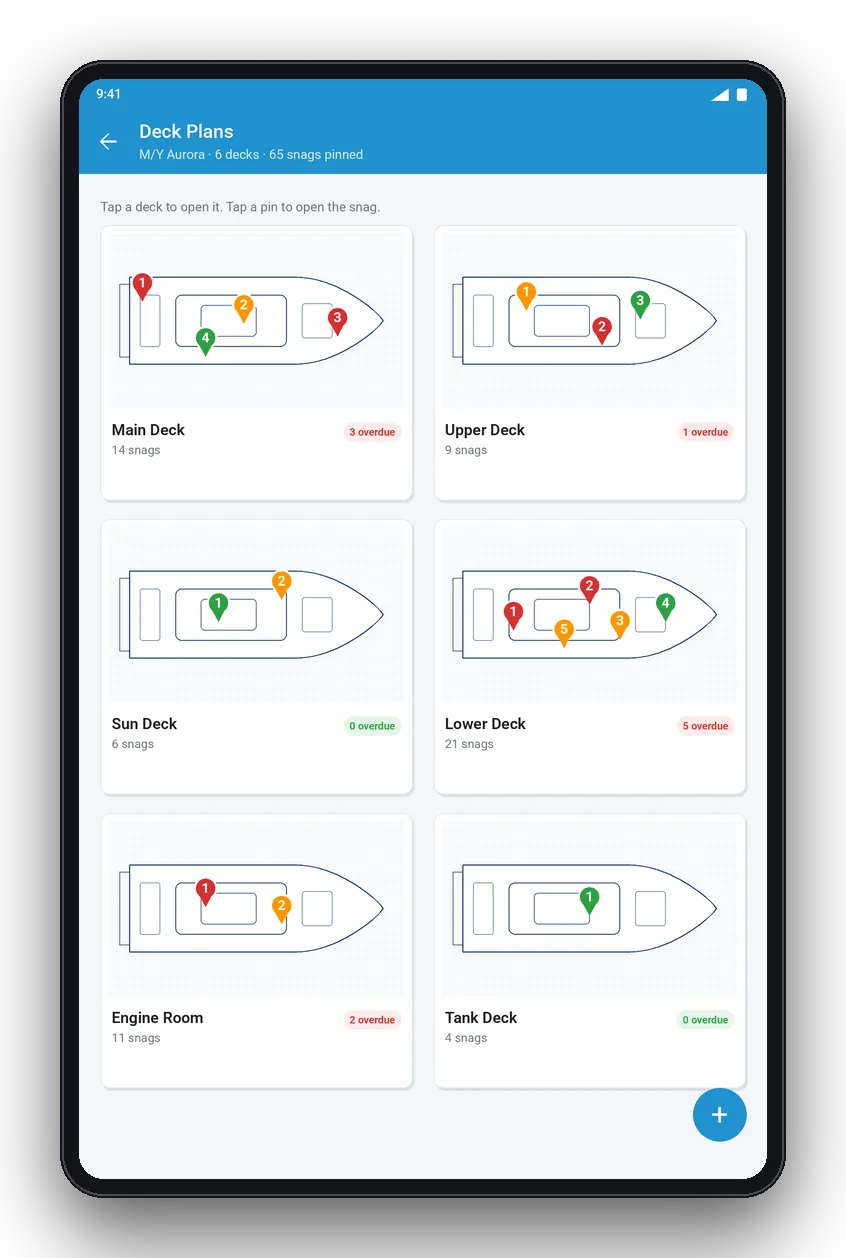
Split the yacht into zones and inspect each one completely before moving on. A typical sequence: exterior and decks, guest accommodation, crew areas, technical spaces, then system tests. Pin each snag on the deck plan so contractors can find it without a guide.
3. Run the punch list workflow
- Open — raised with photo, location, trade and priority.
- In progress — the trade has accepted it.
- Ready for inspection — the trade says it is fixed.
- Closed — inspected and accepted by the owner's side, with a close-out photo.
- Rejected — not accepted; back to open with a comment.
4. Sea trials
Create a separate sea-trial list or tag sea-trial items so they can be re-tested. Record readings, noise and vibration notes, and any alarms. Items found at sea often need the yard's engineering team, so assign them immediately.
5. Delivery and sign-off
At delivery, export a final report showing every snag with its status, closing photos and outstanding warranty items, then collect signatures from the yard and the owner's representative. Keep the open warranty items as a live list for the first season.
Do this on your phone. YachtSnags turns this checklist into a live snag list: photo, mark-up and status for each item, then a branded PDF report in one tap. Download free for Android and iOS.